Free, open-source widgets for Grist, developed in-house and designed to be picked up without training, like online software. Among them, Publipostage+ produces one document per table row: letter, administrative decision, certificate, contract. The code of published widgets is open source: your department can have it reviewed before installing it, keep it and develop it further, with or without us.
No data transfer: by default, the widget does not send your document's data to any service outside Grist. With data transfer: it does send data to a service that is not Grist. In Grist, you also choose what each widget can access: nothing, the selected table, or the whole document.
Widget list
Documents & letters
Publipostage+
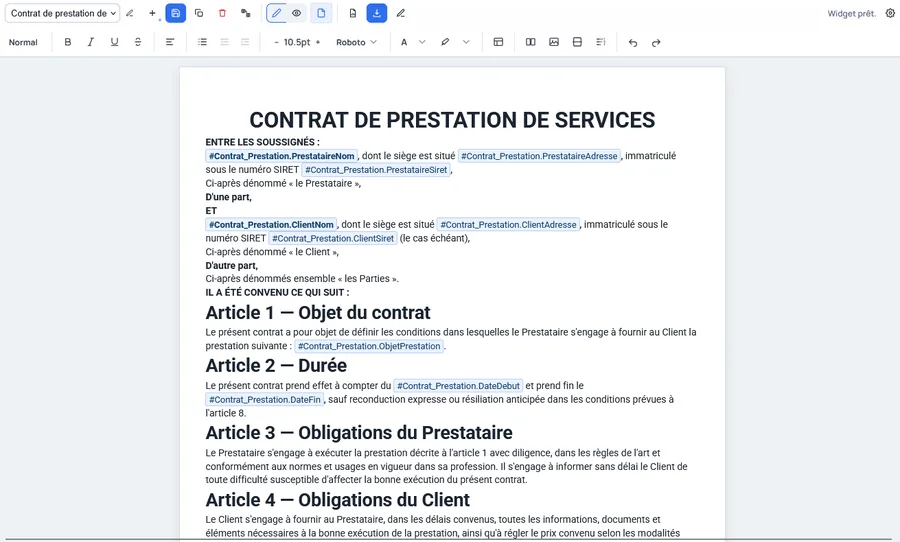
A mail merge widget: compose a document template in a rich text editor, insert fields that point to your Grist columns (name, address, SIRET number, dates...), and each record automatically produces its own document — letter, administrative decision, certificate, contract — with no retyping or copy-pasting.
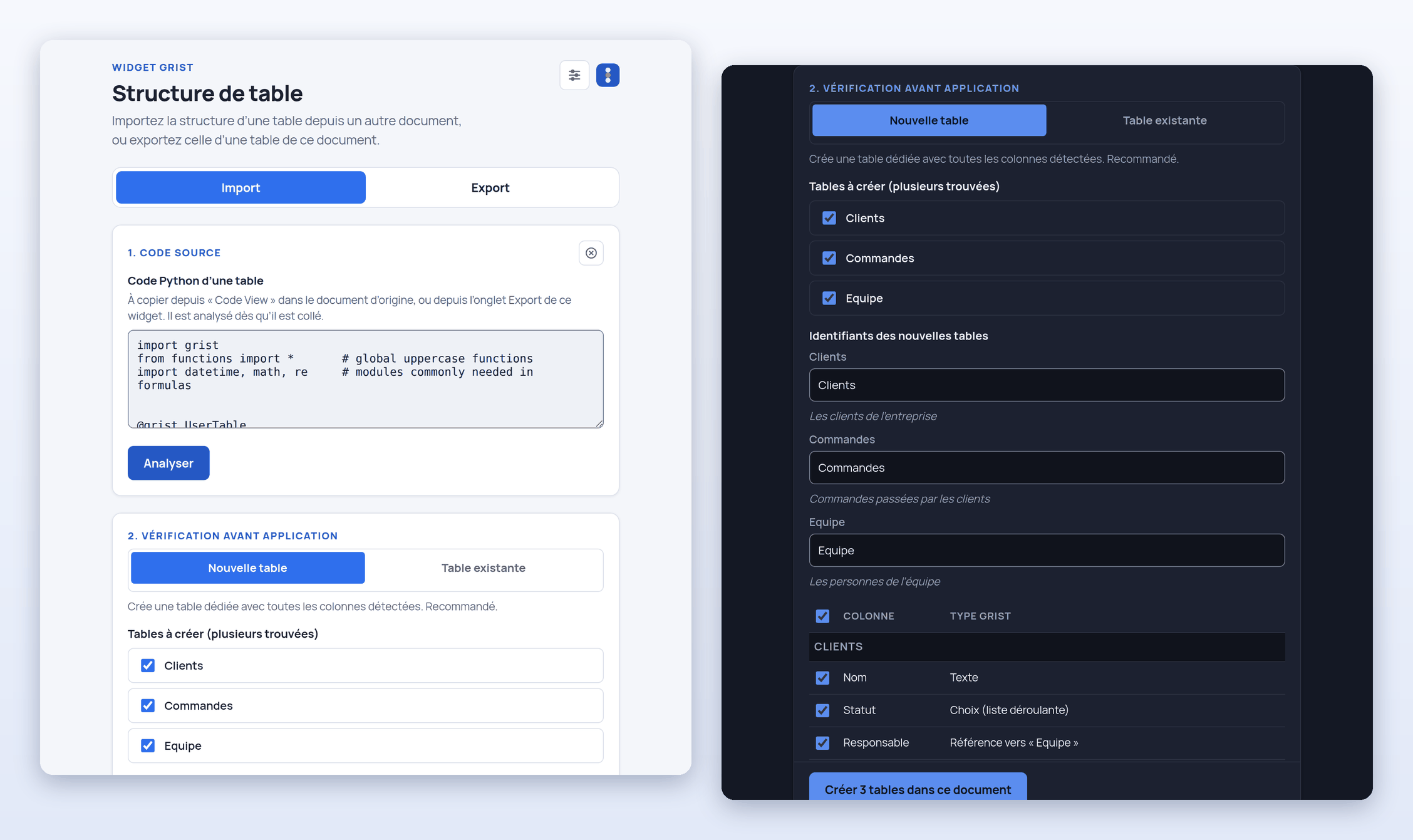
Copy the structure of one or more tables from one Grist document to another, without their data: columns, types, references between tables, labels, descriptions, choice lists, formatting, and even formulas if you wish. The widget writes nothing without your confirmation, and it never changes or deletes an existing table or column.
Everything happens in your browser: no data is sent anywhere else. It asks for full access to the document, which it needs to create the tables.
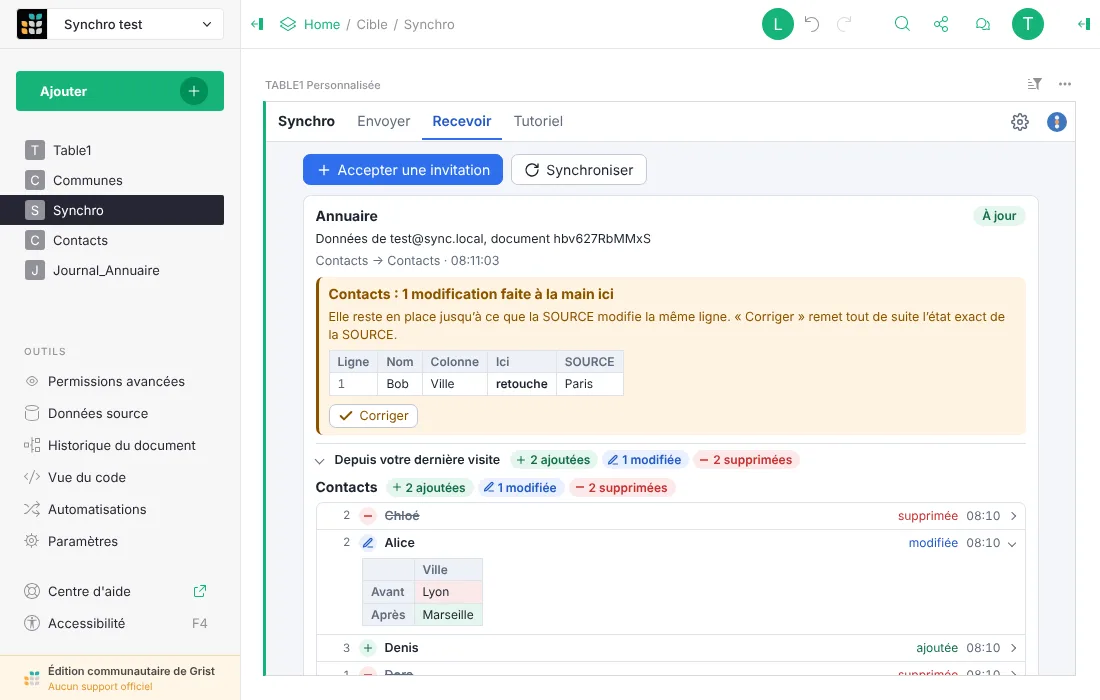
A synchronisation widget: copy tables from one Grist document into another, kept up to date automatically through Grist's native webhooks, with no server to host. You choose which tables and columns leave, with three modes depending on your needs: one-way, two-way Exchange, or public link.
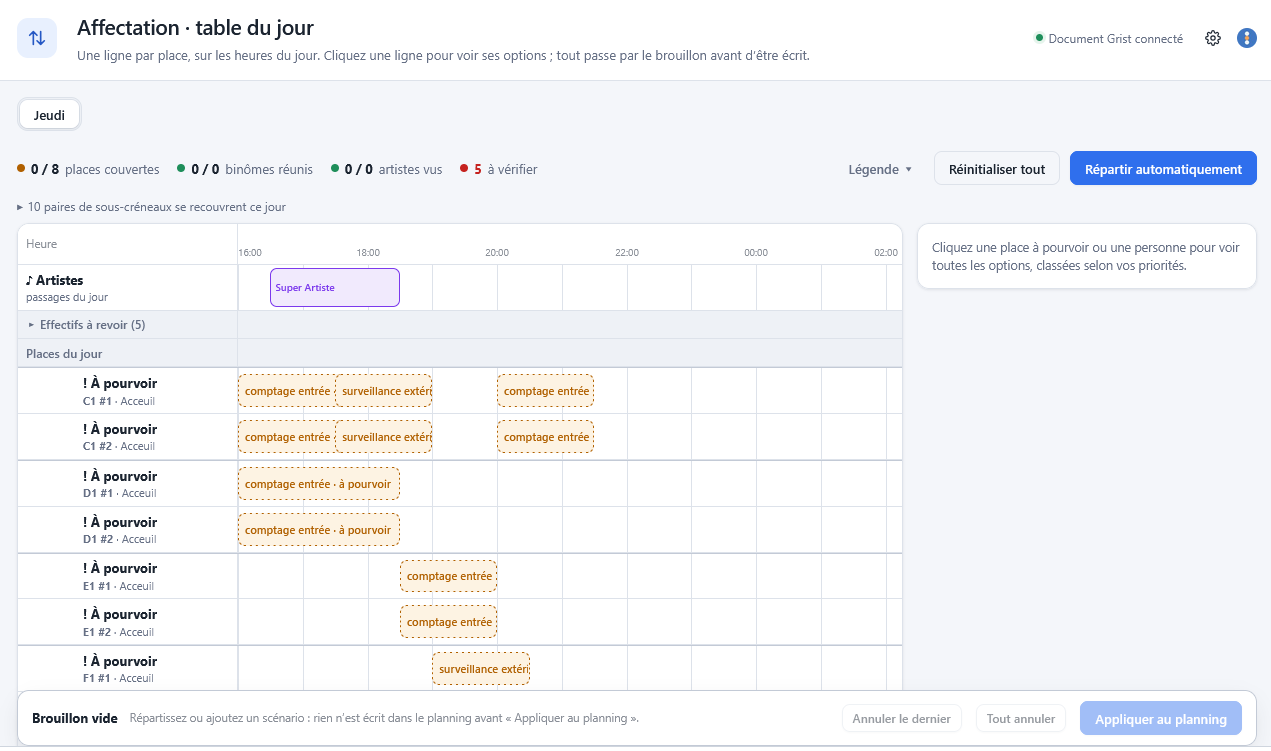
A scheduling widget for Grist: it assigns people, volunteers or staff, to tasks split into time slots, taking into account their availability, their skills and the tasks they have ruled out, then lets you adjust the schedule live, on the day. Every unfilled slot is explained. The data stays readable in Grist, even without the widget. Also designed for on-call duty, help-desk shifts or reception.
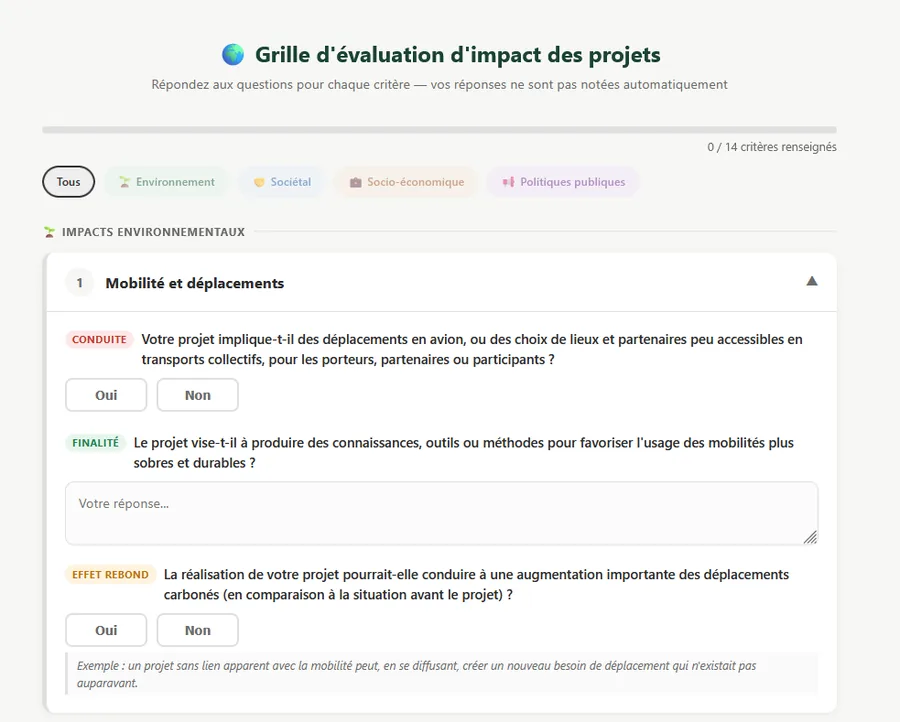
Designed for multi-part forms that are easier to fill in within Grist: questions organised into categories with tab navigation, real-time progress tracking, and multiple-choice answers combined with free text. Useful for evaluation grids or questionnaires, without cramming everything onto a single screen.
Open source · GNU GPL v3 on releaseIn development
Task automation
Automation+
Designed to go further than what Grist already automates with its formulas, actions and webhooks (automatic data transfers to another service): more complex conditional rules, and triggers that cross-reference several tables.
Open source · GNU GPL v3 on releaseIn development
No widgets match your search.
Our widgets in pictures
Publipostage+
Publipostage+
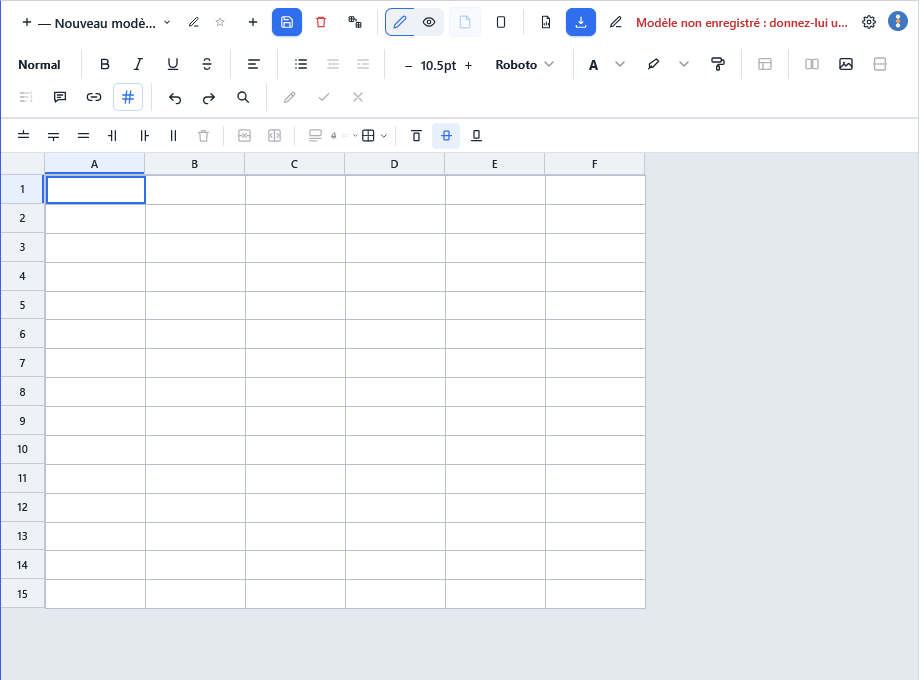
Grid layout: build your template in a table, row by row and column by column.
Publipostage+
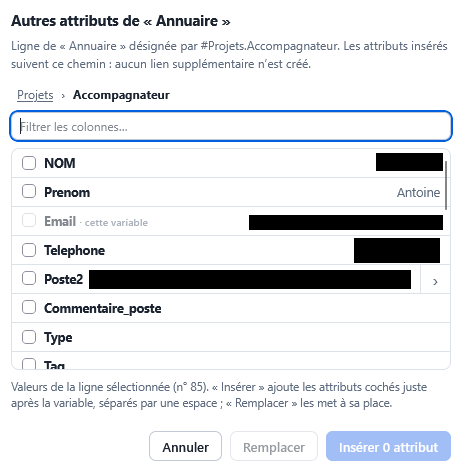
Fields from a linked table: by following a reference, here a project's advisor, insert other columns from their directory entry (last name, first name, phone…).
Publipostage+
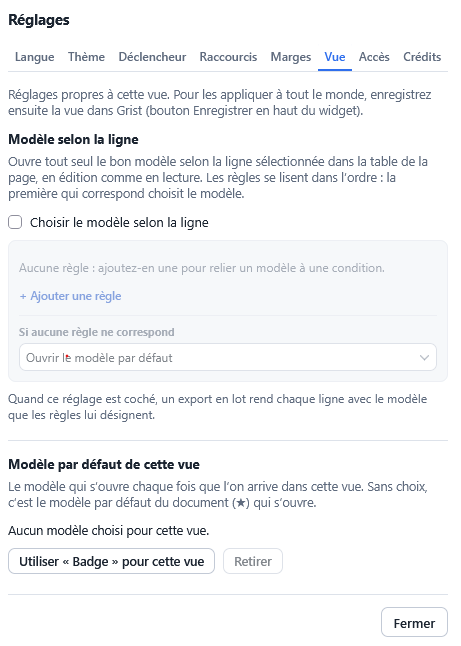
The right template for each row: rules choose the document template based on the selected row, and a batch export renders each row with its own.
Publipostage+
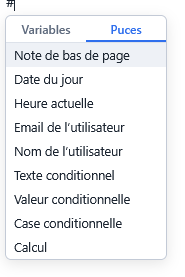
Quick insertion: type # to add a variable or an element (today's date, the user's name, a footnote, conditional text, a calculation…).
Publipostage+
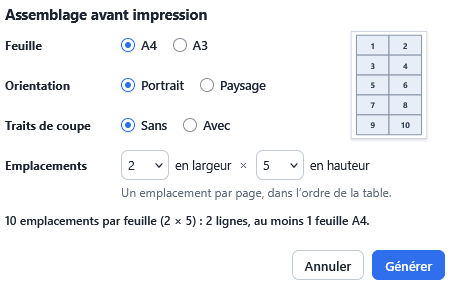
Print layout: several documents on a single A4 or A3 sheet, with or without cut marks, for example for badges.
Structure Import / Export
Structure Import / Export
From Code View to your tables: paste a table's code copied from 'Code View', check the tables and columns detected with their types, then create them in one go, or add only the missing columns to an existing table.
SyncPlus
SyncPlus
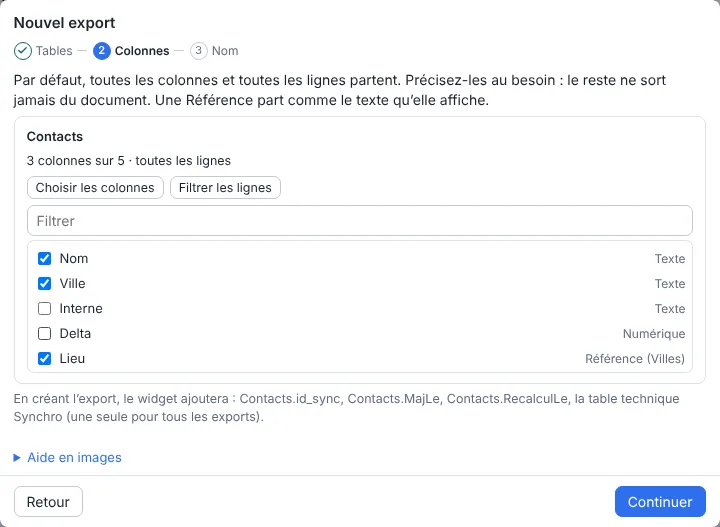
The columns that leave: in the SOURCE document, you choose the tables and only the columns that go out to each recipient.
SyncPlus
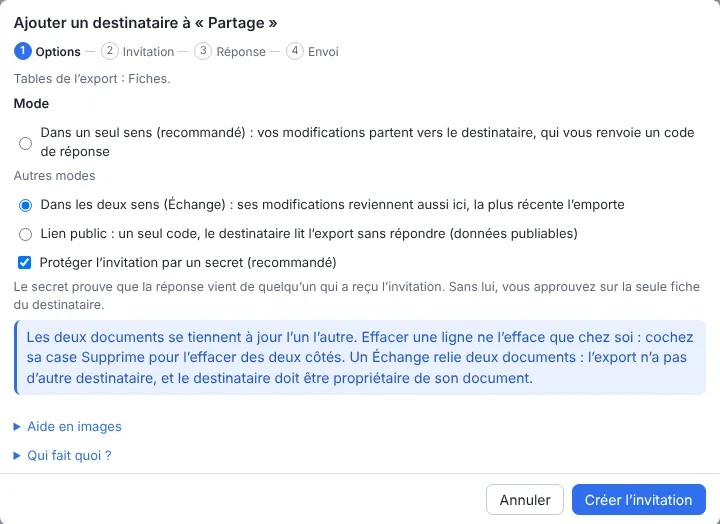
Three modes per recipient: one-way, two-way Exchange, or public link.
PlanningPlus
PlanningPlus
The day's assignments: one row per place, across the hours of the day. Automatic assignment goes through a draft: nothing is written to the schedule until you confirm.
PlanningPlus
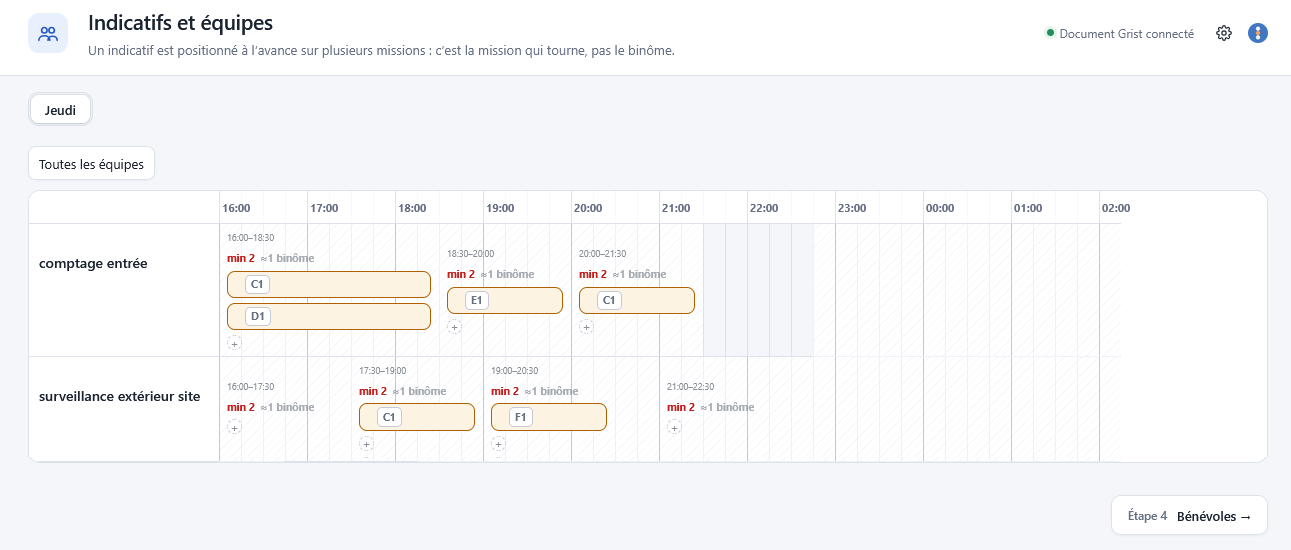
Call signs and teams: each task is split into time slots, with a minimum headcount, and teams are positioned on them in advance.
Audited widgets
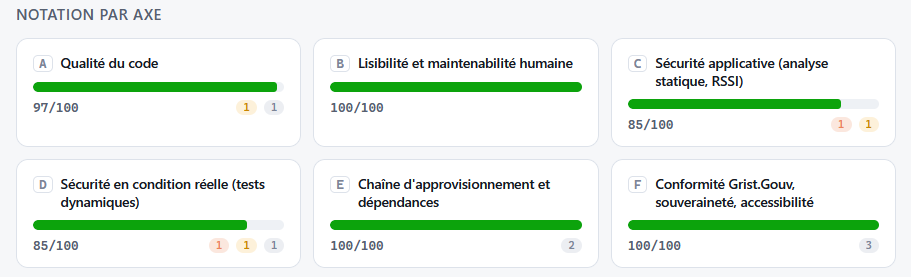
Every widget is audited by us before any deployment. Here, for example, are the scores Structure Import / Export received from our audit tool.
Audit report
Structure Import / Export's scores, area by area: from code quality to compliance, including security and dependencies.
Adding a custom widget to your Grist document
In Grist, a widget is added to a page as a 'custom widget' view, from its web address. Grist's documentation explains how: Custom widgets. If your Grist is managed by your administration, first check with its team which custom widgets are allowed.
Need a custom widget for your department?
As well as these open-source widgets, we develop custom widgets for your department's own needs, as open source if you wish. They sit on top of well-structured data, so we start by listening to you. See our custom widgets.